To tell if filament has gone bad, run three checks in order: look at the strand, bend it, then print a small test. Bad filament shows brittleness or a powdery surface, a cracked or flattened cross-section, popping and sizzling at the nozzle, bubbles in the melt, heavy stringing, weak layer adhesion or underextrusion.
It takes about five minutes, and it costs you nothing but a few centimetres of plastic. I would rather find out from a 20-gram calibration cube than from a nine-hour print that peels off the bed at hour three.
Here is the checklist first, then the full routine.
Physical signs:
- It snaps or shatters instead of flexing when you bend a loose end
- A dusty, chalky or faded surface, or a colour that no longer matches the spool label
- Cracks, nicks, a flattened or oval cross-section, or tiny bubbles in the strand
- Dirt, black specks, or a spool that has been tangled or knotted
- Vacuum packaging that was already open, torn or resealed
Extrusion and print signs:
- Popping, crackling or sizzling from the hot end
- Bubbles, gaps and rough, blobby surfaces in the printed walls
- Severe stringing and ooze that continues after the extruder stops
- Underextrusion, or layers that split apart when you push them
- Clogged nozzles and a first layer that will not stick
Table of Contents
- What You Need
- Step-by-Step: How to Tell if Filament Has Gone Bad
- Check the Packaging and Spool Condition
- Inspect the Filament for Visible Damage
- Test the Filament Strength and Flexibility
- Look for Moisture and Printing Clues
- Confirm Whether the Filament Is Still Usable or Gone Bad
- Common Mistakes
- Frequently Asked Questions
- Can filament go bad if it is still sealed?
- How do I know if PLA needs drying?
- Is discolored filament always unusable?
- What does wet filament look like when printing?
- How long does 3D printer filament usually last?
- Can bad filament damage my 3D printer?
- Conclusion
What You Need
None of this needs a lab. Gather what is already on the bench before you open a spool:
- The original packaging. The bag or box the filament came in tells you how it was stored and whether the seal was broken.
- A clean, dry surface. A scrap of white paper or a light-coloured bench top makes dust, black specks and discolouration obvious.
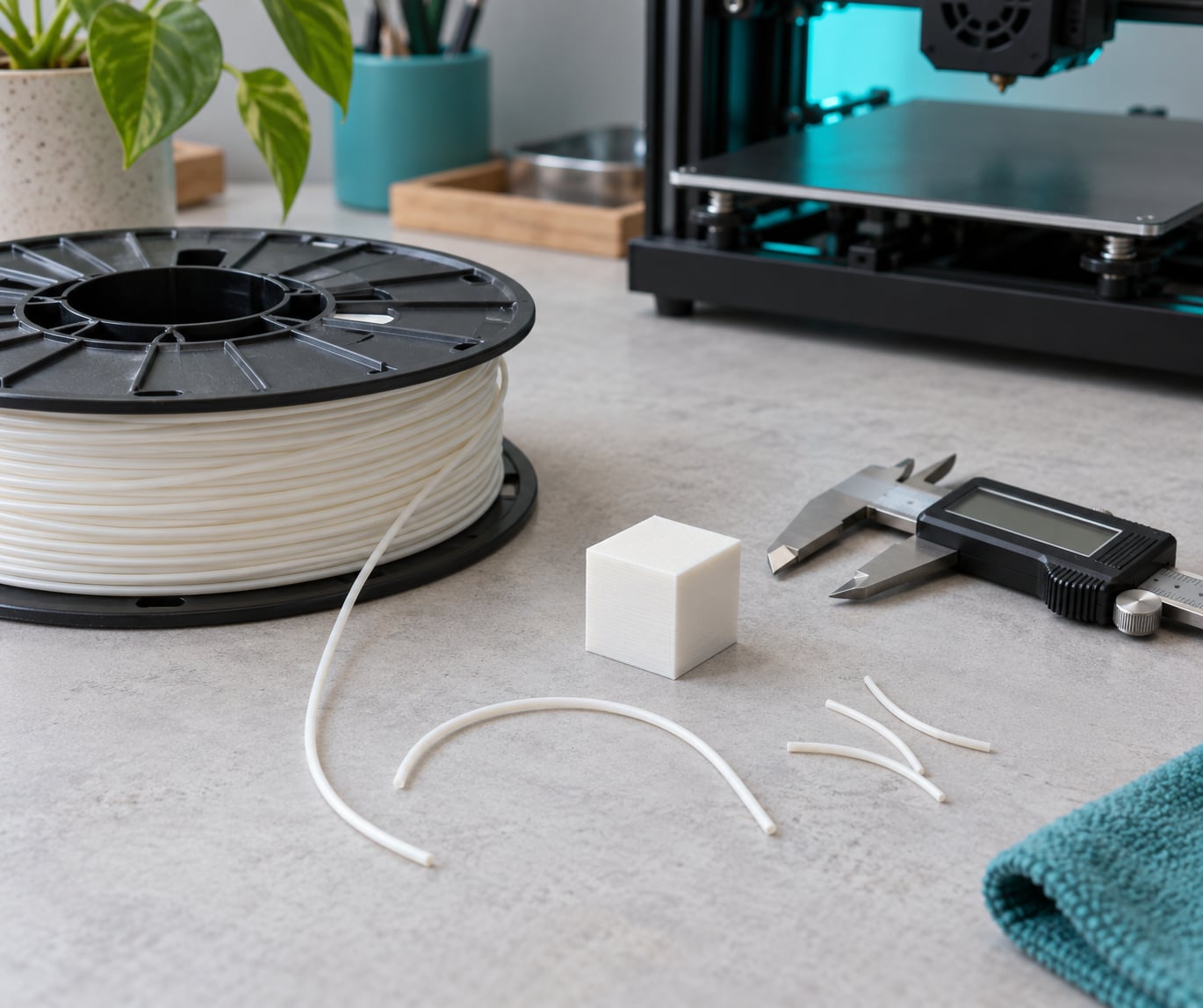
- Digital calipers if you have them. Measure in a few places along the strand. Nominal filament is 1.75 mm or 2.85 mm.
- A magnifier or your phone camera zoomed in. Bubbles and micro-cracks are easier to see with light behind the strand.
- A small test print setup. A calibration cube or a 20 mm square with perimeters, printed at your normal temperature, is enough to judge flow.
- A clean, levelled printer. Testing questionable filament on a dirty bed gives you a false answer.
Step-by-Step: How to Tell if Filament Has Gone Bad
Run these in order. Each step rules something out, so you stop as soon as you find the cause instead of guessing at symptoms later.
Check the Packaging and Spool Condition
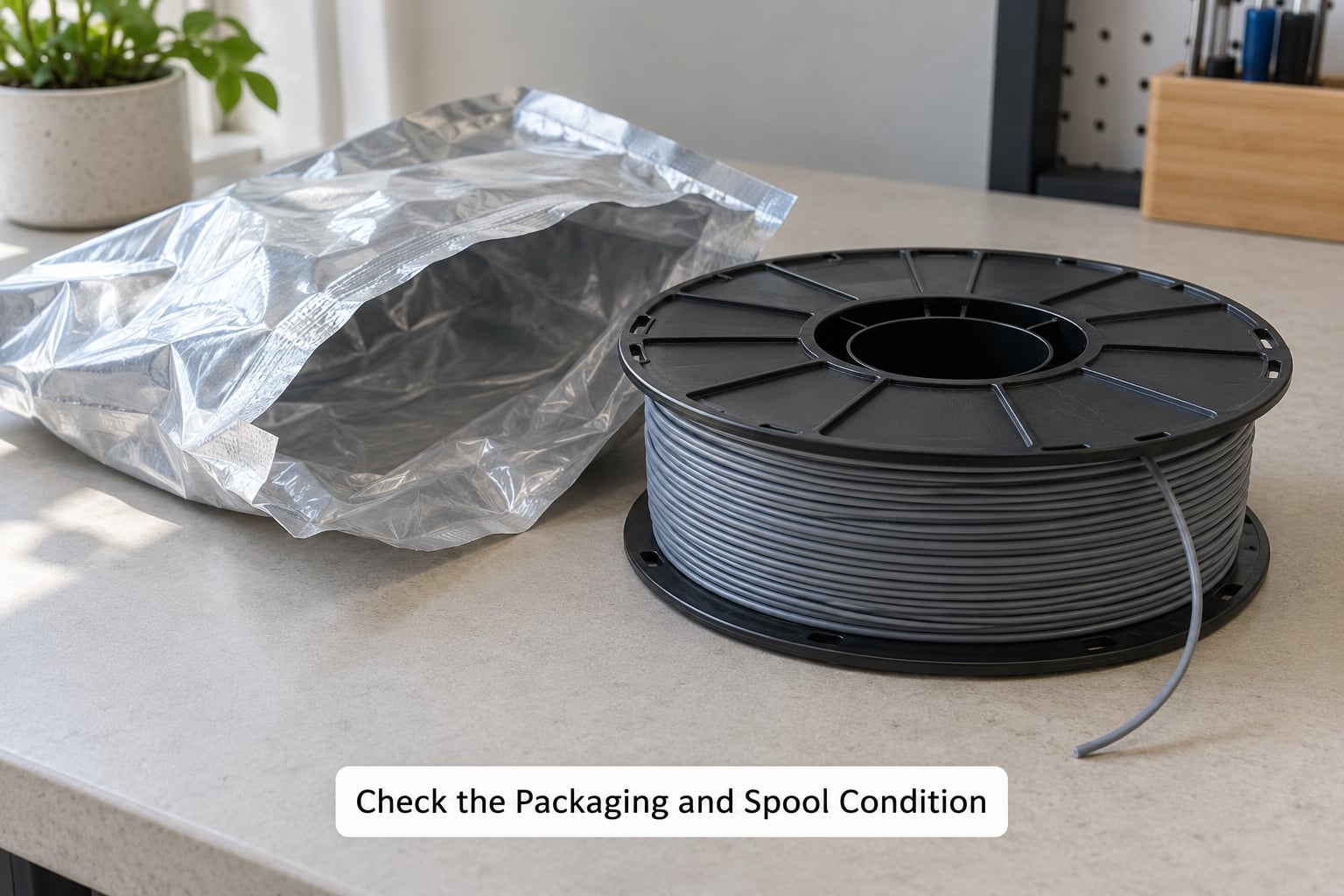
Start with the outside. A factory vacuum bag that is puffed up and sealed tight means the filament was protected from air and moisture, and it usually still has most of its life left.
A bag that is flat, sliced open, resealed with tape or full of holes means the seal was broken at some point. The spool may still be fine, especially for PLA in a dry room, but treat it as suspect from here on.
Look at the spool itself. Spools that have been knocked out of a box or dropped often have filament wound over the flange, crossed strands, or a tail wrapped under the next layer. Those crossings turn into jam points later.
One more thing: check the date. Age alone does not prove the material is unusable, but it tells you what to expect. A spool opened two years ago in a dry, climate-controlled room can still print perfectly well.
Inspect the Filament for Visible Damage
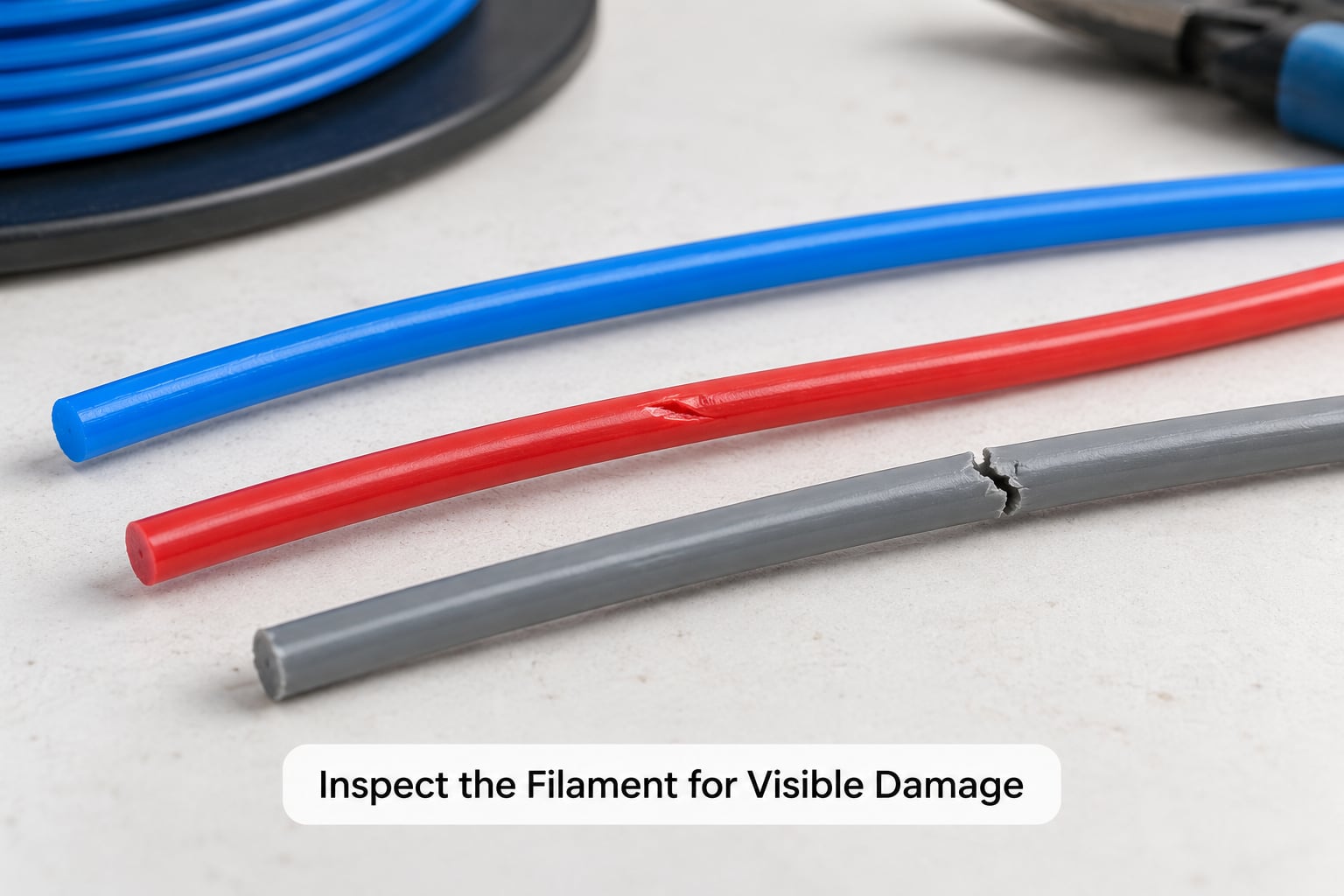
Pull out about a metre of strand and hold it up to the light. Healthy filament has a consistent colour and a smooth, slightly glossy surface.
Here is what to look for:
- Bubbles. Small round voids inside the strand mean moisture was absorbed before it reached your printer. Hold the strand against a light source and they read as bright spots.
- Cracks and nicks. Deep scores catch on the extruder gears and PTFE liner. A nick on the surface can be trimmed off; a crack running through the middle can be cut out if you can reach it, but a spool that crunches through the whole feed path is finished.
- Diameter variation. Pinch it between your fingers and it should feel identical along its length. With calipers, check three or four spots. Anything outside roughly plus or minus 0.05 mm on 1.75 mm filament will show up as inconsistent flow.
- Oval or flattened strand. This usually means the material has softened against a warm surface or been squashed in a tight, badly wound spool.
- Discolouration and dust. A faded, chalky surface is oxidation and UV damage. Dusty residue on the strand or on the spool flange is contamination, and it will be dragged into your hot end.
- Black specks and debris. Any black or brown contamination means the material has been degraded. That is not a drying problem.
Colour variation is not damage. Metallic, silk, gradient and multi-colour spools shift shade on purpose, and a two-tone strand from a dual-extruder is normal.
Test the Filament Strength and Flexibility
This is the oldest field test and the one people trust most. Take a loose end of filament and bend it into a U-shape with your fingers, the way you would test a paper clip.
Good filament flexes and springs back. Brittle filament cracks, creases with a white stress mark, or snaps cleanly in two. That is the bend-and-snap test, and it takes five seconds.
Why it works: PLA, PETG, ABS, ASA and nylon are all hygroscopic to some degree. They pull water out of the air, and when that water sits in the polymer chain for a long time it breaks the chains down. Short chains mean less strength between layers and a strand that behaves like glass. The same thing happens faster when filament sits in direct sunlight or in a hot car, where heat and UV attack the polymer from the outside.
So a brittle bend test has two possible causes, and they behave differently later:
- Moisture. The strand feels rough or slightly sticky, and it pops or hisses at the nozzle. Drying will usually bring the flex back.
- Chain scission from heat or UV. The strand feels smooth but brittle, and the colour has yellowed or gone chalky. No amount of drying will fix this one.
TPU is the exception that confuses people. It is soft and rubbery when healthy, so a TPU strand that bends easily and feels slightly tacky is normal. TPU also takes on moisture fast and wants lower temperatures than you might expect, so read the spool label before you set anything.
Nylon and other polyamides behave like PETG in this respect: they dry, but they also kink and stress-crack badly when spooled too tightly. Many jams traced to nylon turn out to be stress cracks formed while the spool sat unused.
Look for Moisture and Printing Clues
Physical checks only tell you so much. A short print gives you the answer nobody wants to discover on a big job.
The sound test is the fastest one. Run a small cube or a 20 mm square at your normal temperature and listen. On r/3Dprinting the rule is simple: if the filament pops or you hear hissing from the nozzle, it is wet. Sizzling and crackling are the same signal in a different register, and they come from water boiling inside the melt as it passes through the hot end.
Other things to watch on that test print:
- Bubbles and gaps in the wall. View the surface at an angle. Small craters and rough patches that look like sea foam are trapped moisture boiling off.
- Stringing. Threads between the perimeter and the infill, plus ooze that keeps going for a second after the extruder stops, both point at wet filament.
- Underextrusion. The extruder audibly skips, and the wall comes out thin or intermittent even though the flow rate is correct.
- Layer adhesion. Push the test piece hard. If layers split with your fingernail instead of holding, the weld between layers is weak, which is what a wet or degraded polymer gives you.
- Surface roughness. Grainy, matte walls where you expect a smooth, slightly glossy finish.
One caution from the forums: not everything blamed on filament is filament. Users on r/BambuLab and r/FixMyPrint regularly trace “moisture” symptoms to support interfaces, chamber temperature, or an unlevelled bed. Before you condemn a spool, run a known-good filament through the same settings. If that prints clean, the spool is the problem.
For confirmation rather than guesswork, weigh the spool. A filament dryer with a humidity readout, or a cheap hygrometer in a sealed container with the filament, tells you whether you are holding moisture. Nylon and PETG stored above 65 percent relative humidity will behave differently from the same spool kept under 40 percent, and the number is more useful than any memory test.
Confirm Whether the Filament Is Still Usable or Gone Bad
So: dry it once, quarantine it, or bin it. This is the decision most guides skip, and it is the question forum users ask most.
Dry it once if the filament flexes, the surface is smooth or slightly dusty, the only symptoms are popping, stringing and rough walls, and a single extruder push feeds smoothly. Most filament complaints land here, and most of them are recoverable.
Quarantine it if it needed two dry cycles, if the bend test still fails afterward, or if the colour has yellowed without popping. Put it aside, print with something else, and test it again next month. Oxidation creeps, and a marginal spool can fail in a way that is not obvious on a small test.
Discard it if the strand is contaminated with black specks, if it is cracked through in several places, if it crinkles and snaps in the feeder, if the diameter is well outside tolerance along the whole spool, or if it has been exposed to direct sun and heat for a long time. Those failures are mechanical or thermal, and no amount of drying changes them.
| Material | Unopened, vacuum sealed | Opened, stored indoors | Drying temperature | Drying time |
|---|---|---|---|---|
| PLA | About 2 years | 6 to 12 months | 45 to 55 C | 4 to 6 hours |
| PETG | About 2 years | 6 to 12 months | 55 to 65 C | 4 to 8 hours |
| ABS | About 2 years | 6 to 12 months | 70 to 80 C | 4 to 6 hours |
| ASA | About 2 years | 6 to 12 months | 70 to 80 C | 4 to 6 hours |
| TPU | About 1 year | 3 to 6 months | 45 to 55 C | 3 to 4 hours |
| Nylon | About 1 year | 2 to 6 months | 70 to 80 C | 12 to 24 hours |
Those are typical desktop figures, not guarantees, and humidity matters more than the calendar. A dry climate or an airtight box with desiccant extends the opened life considerably.
If you dry in a home oven, stay at the low end. Users on r/FixMyPrint report good results drying brittle PLA at around 140 F, which is about 60 C. Many also use a food dehydrator rather than a purpose-built filament dryer and get the same outcome. Avoid the oven for anything that fumes: ABS and ASA give off styrene, and nylon is only sensible in a well-vented food dehydrator.
One post-dry step people skip: re-tune. Drying changes the melt flow, so the temperature and retraction that worked before may now be too high. Print your small test square again and adjust before you start the real job, or you will blame the filament for a problem you created.
Common Mistakes
Judging by age alone. An old spool in a dry room can print fine, and a two-week-old spool in a humid garage can be ruined. Check the material, not the calendar.
Calling colour variation damage. Silk, gradient and dual-colour strands shift tone by design. Look for surface chalkiness and yellowing of the whole spool instead.
Drying material that is not hygroscopic in the same way, or overheating it. Drying every plastic at the same setting is how spools warp and jam. Match the temperature to the polymer and stay in the low range.
Testing on a dirty or unlevelled printer. A failed first layer on a bad bed is not a filament verdict. Clean the plate, check the level, and re-test before you throw anything away.
Ignoring storage history. Spools on a car dashboard or a windowsill in summer are getting heat and UV at the same time. That combination fades colour and shortens the polymer chain, and no storage box undoes it afterwards.
Skipping the test print after drying. Flow changes. Re-check temperature and retraction on a small model, or the dried filament will look like a new problem.
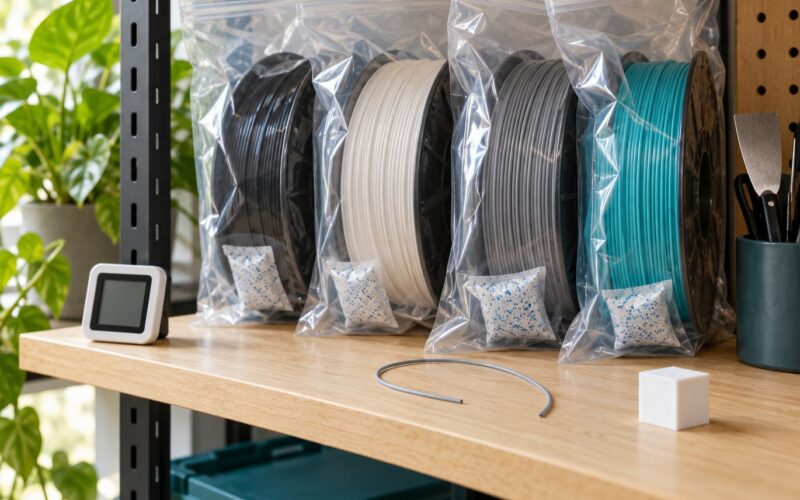
Prevention is easier than diagnosis. Store opened spools in airtight boxes or resealable bags with desiccant, in a cool dark room away from sunlight and heaters. Rotate stock oldest first and label each spool with the date you opened it. If your printer sits in a garage or a humid workshop, a storage box and a cheap hygrometer will save more spools than any amount of drying.
Frequently Asked Questions
Can filament go bad if it is still sealed?
Yes, but only slowly. A factory vacuum bag blocks almost all moisture, so sealed filament usually stays usable for about two years on desktop materials, less for TPU and nylon. Problems appear sooner if the seal is weak, the bag was sliced open and resealed, or the spool sat in heat. Always check the bag is puffed and intact before you assume the filament is protected.
How do I know if PLA needs drying?
Three quick signals. Listen for popping or sizzling during a short print, look for bubbles and gaps in the wall, and check the strand for a rough or slightly sticky surface. A bend test that creases instead of flexing points the same way. If any of these show up, dry at 45 to 55 C for four to six hours and print a small test square before committing.
Is discolored filament always unusable?
No. Fading, uneven tone and deliberate gradient colouring are cosmetic. The signs that matter are a chalky or powdery surface, yellowing across the whole spool, and brittle strands that crack under a gentle bend. That combination points to oxidation and UV damage rather than moisture, and drying will not reverse it, so plan to use the spool for scratch parts or scrap it.
What does wet filament look like when printing?
It sounds and looks like small steam explosions. You will hear popping, crackling or a hissing noise from the hot end, see bubbles and rough cratered patches in the surface, get heavy stringing, and notice ooze continuing after the extruder stops. Walls can also come out thin from underextrusion, and layers may split under pressure because the melt never welded properly.
How long does 3D printer filament usually last?
Vacuum-sealed spools give roughly two years for PLA, PETG, ABS and ASA, and around a year for TPU and nylon. Once opened, indoor storage cuts that to about six to twelve months for rigid plastics and two to six months for nylon, which absorbs water quickly. Climate matters more than age, so a dry room with an airtight box and desiccant extends it a lot.
Can bad filament damage my 3D printer?
It can, and the damage is gradual. Grit and degraded plastic act as abrasive against the PTFE liner in the extruder and wear the nozzle out faster than normal. Repeated clogs add heat stress to the hot end, and stringy, oozing filament can gum up the feeder. A single bad print is rarely a problem, but running contaminated filament for months shortens the life of those parts.
Conclusion
Start with the packaging, then the strand, then a five-second bend, and only then a small print. That order tells you whether you are dealing with moisture, oxidation or mechanical damage, and each one has a different fix.
Dry it once if the symptoms are popping, stringing and rough walls. Set it aside if it still fails afterward. Bin it if you find black contamination, cracks through the strand, or a spool that has been baked by sun and heat, because none of those come back from a dryer.