Unattended printing is a managed risk, not a safe or unsafe switch. A printer only earns the right to run while you sleep, work or travel once the hardware, wiring, enclosure, detection and shutdown path have been checked, and you know what the machine does when it faults.
This guide walks through that setup in the order it should happen. Budget an hour for the first pass, then an hour again for the first supervised test print, and check your machine’s manual before you buy any safety hardware.
Table of Contents
- What You Need
- Step-by-Step: How to Print Unattended Safely
- 1. Confirm the Printer Is Designed for Unattended Use
- 2. Choose a Suitable Location and Power Supply
- 3. Prepare the Material and Machine
- 4. Configure Detection and Automatic Shutdown
- 5. Run a Short Supervised Test
- 6. Establish Monitoring and Safe Check Intervals
- 7. Keep an Emergency Response Plan
- 8. Increase Unattended Time Gradually
- Common Mistakes
- Frequently Asked Questions
- Can I leave a 3D printer running overnight?
- Which filaments are safest for unattended printing?
- Is an enclosure enough to print unattended safely?
- Is it safe to control a 3D printer with a smart plug?
- What should I do if a 3D printer will not stop after a failure?
- Conclusion
What You Need
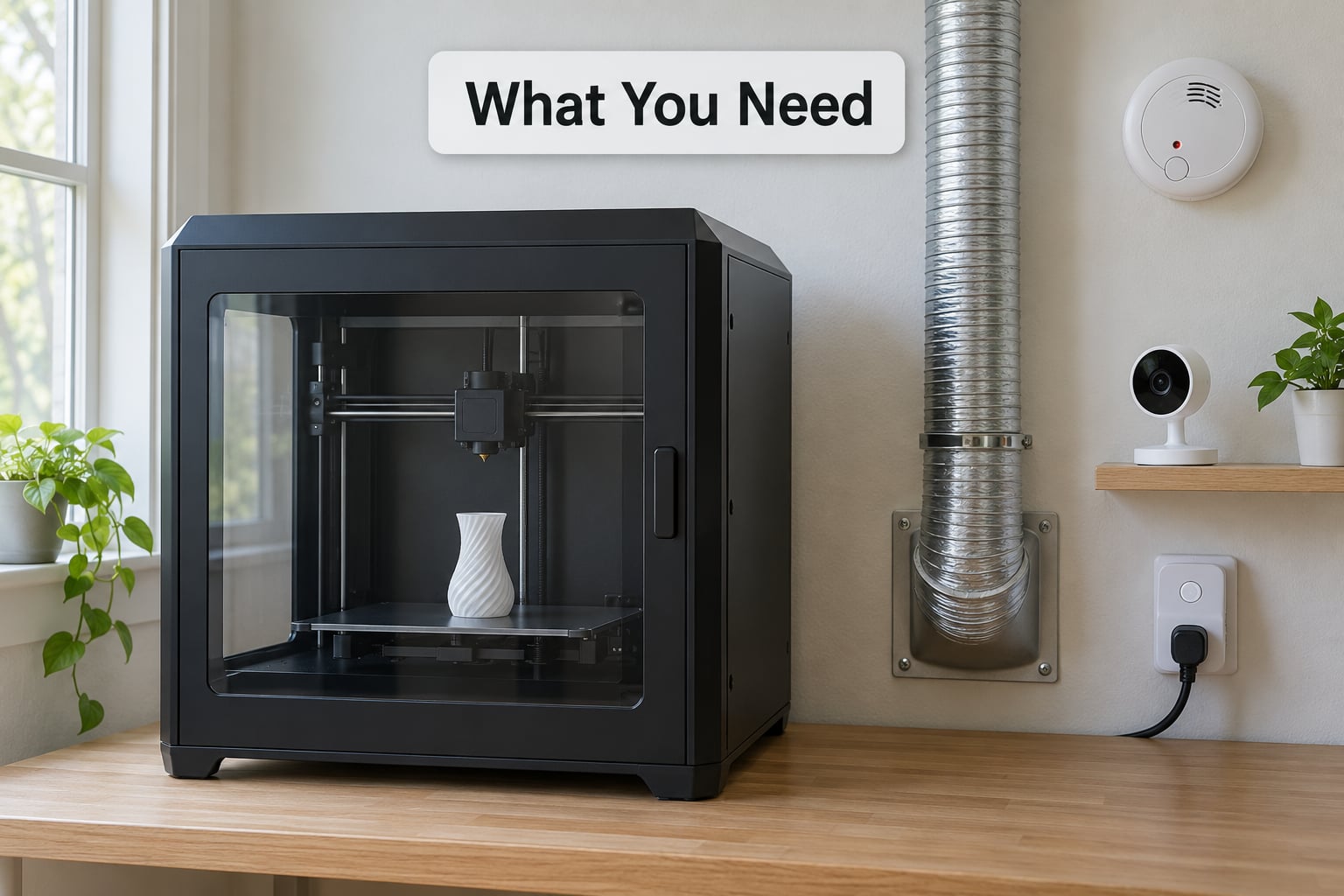
Six things have to exist before a job starts, and each covers a different failure mode.
- The printer itself. It needs thermal protection that works when nobody is watching, a run-out sensor you have actually tested, and a firmware or control layer that reports faults instead of quietly retrying.
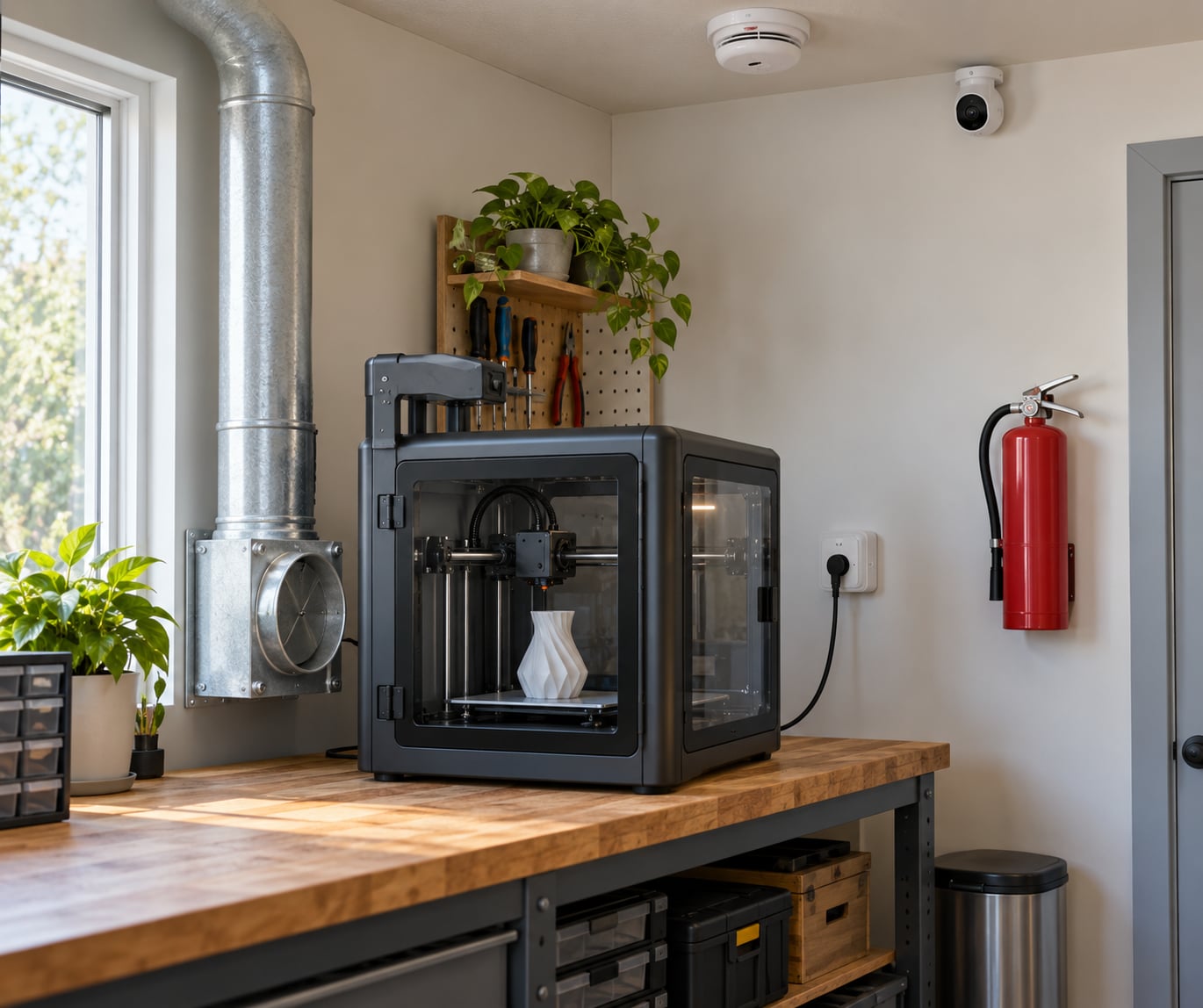
- A noncombustible location. A stable bench or shelf, clear of paper, cardboard, foam, solvent bottles, fabric and anything else that burns. Not a carpet, not a laundry shelf.
- Ventilation. An enclosure needs a path for air to leave the chamber. A duct going outside, or a filtered recirculating unit that you sized for the material, beats a lid propped open with a box fan pointed at the wall.
- Detection. An independent smoke alarm near the machine, mounted on a ceiling or high wall rather than tabletop level, where a slow smouldering fire will actually reach it.
- Power management. A switch or plug the printer can be cut from, plus an uninterruptible power supply on the controller only. Not on the hot end.
- An emergency stop path. A physical switch you can reach, and a rehearsed plan for power, ventilation and evacuation.
Consumer printers generally require manufacturer approval and a suitable operating environment before they should be left running without supervision. A closed door is not approval.
Step-by-Step: How to Print Unattended Safely
1. Confirm the Printer Is Designed for Unattended Use
Read the manual’s safety and unattended-operation sections before anything else, then decide honestly whether your machine qualifies. You are looking for a defined maximum nozzle temperature, a thermal runaway response that cuts heater power rather than just sounding a beep, power-loss recovery behaviour, and a manufacturer statement about what accessories or enclosures are required.
Do not assume that an enclosed chamber, a third-party sensor or a clever firmware plugin makes a printer safe to leave alone. An enclosure changes airflow, not failure modes. Plenty of machines run a hot end at 300C with a single thermistor and a MOSFET that has failed short, which is a heater that stays on with no way to stop it.
2. Choose a Suitable Location and Power Supply
Pick a spot that stays within the printer’s temperature and humidity limits, gets no direct sunlight, and is not exposed to water, dust, pets or curious children. A spare room, basement or garage works better than a bedroom corner, mostly because of ventilation headroom and because you are not sleeping next to it.
Power it from a suitable circuit. Avoid extension cords and power strips unless the manual explicitly permits them, and never share a strip with a space heater or a kettle. Bed heaters draw serious current, so any connector, crimp or terminal between the power supply and the bed needs to be rated for that current. An under-rated bed connector melting mid-job is a documented failure among long-run printers, and it happens with no warning.
3. Prepare the Material and Machine
Unattended printing only works if the job was already proven. Start from a profile you have run repeatedly, with a clean nozzle, correctly loaded filament, a secured build plate and clear axes. Confirm you have enough filament for the whole job: weigh the loaded spool, subtract the empty spool weight, and compare against the slicer’s estimate.
Match the chamber to the material. For anything above roughly 240C you want a well-sealed enclosure; for moisture-sensitive nylon you want a dry box feeding the extruder. Filament that has absorbed water can bubble, spit, and deposit rough surface that leads to layer shifts, and a layer shift on a long job is a print you will find in the morning.
PLA and PETG are the lowest-heat, lowest-emission choices. ABS, ASA and polycarbonate need a sealed chamber and ventilation to outside. Most of the risk people attribute to “my printer catching fire” is really a chamber full of material that softens, sticks to the nozzle and keeps heating.
4. Configure Detection and Automatic Shutdown
Turn on only the features your machine actually supports. That means thermal runaway detection with a defined action, run-out and jam detection with the action you choose, and any door-open, power-loss or auto-shutdown behaviour the firmware documents. A shutter or door sensor that pauses the print but leaves the bed energised is not a safety feature, and neither is PAUSE generally: pausing stops extrusion while the heated bed stays powered.
Then test the whole path end to end. Trigger a simulated thermal fault and confirm the machine shuts heaters off rather than just posting a message. Trigger run-out and confirm what actually happens to your job. Send yourself the notification, on purpose, at a time when you are not standing next to the printer. A monitor you have never tested is a guess.
5. Run a Short Supervised Test
Before anything else in how to print unattended safely: run the job with yourself in the room. Watch startup, the first layers, tool movement, temperatures, cooling, noise, smell and power draw. This is the stage where you catch nozzle jams, scraping, layer shifts, loose belts, unstable flow and sensors that trigger for no reason.
Run the whole job, not the first hour. Short tests hide the failures that only show up at hour 30, when the filament buffer has emptied and the chamber has been at temperature for a day.
6. Establish Monitoring and Safe Check Intervals
Use remote monitoring where the machine genuinely supports it, and be honest about which jobs you can accept a failed message on. A mobile interface that shows live temperature, progress and a camera feed catches a failed layer shift and a finished print. It does not catch a smouldering heater in the first four minutes, which is why detection and shutdown are separate layers from monitoring.
Set check intervals based on the risk rather than a fixed promise. Job length, material, chamber temperature, how far the nearest person is and what your local rules require all change the answer. Anyone who tells you a once-per-night check is universally fine is answering for their own printer, not yours.
7. Keep an Emergency Response Plan
Write the sequence down and post it near the machine: if you smell burning or see smoke, stop the print remotely if you safely can, evacuate the room, disconnect power only if you can do so without passing through smoke, and call emergency services if there is any fire at all. Do not restart anything until you know what caused it.
Two cautions matter here. A printer in a poorly ventilated room can contribute to carbon monoxide build-up, which is why ventilation to outside is the design goal for heated-chamber materials. And if you are asleep, the response depends on a smoke alarm that notifies you or a device that cuts power on its own. Decide which one you are relying on before you need it.
8. Increase Unattended Time Gradually
Move from watching it, to checking every thirty minutes, to checking every few hours, to a full night, only after repeated successful runs at each step. Keep notes on what failed and when. Most problems show up in the first few runs of a new setup, and the pattern is worth more than any single successful night.
One clean overnight print does not clear the risk of material, power supply, sensor or environmental failure. It tells you that this particular job on this particular day worked.
Common Mistakes
Most printer fires in the wild come from a handful of repeated assumptions. Each has a correction.
- Leaving any printer running overnight. Correct it by checking the manual’s unattended guidance for your machine. If the manufacturer says not to leave it plugged in and operating, that is the ceiling until you have added detection and a tested shutdown path.
- Treating an enclosure as fireproof. An enclosure is a chamber, not a fire rating. It concentrates heat and can make a small ignition much harder to notice.
- Relying on one sensor. A run-out sensor, a camera and a smoke alarm each catch a different class of failure. Layer them, and know which one you are relying on for which risk.
- Wrapping the printer to trap heat. Sealing a chamber with no exhaust path pushes fumes into the room and raises the chance of a hot-end fire going unnoticed.
- Using a webcam as the only safety system. A camera needs someone awake to look at it. It is monitoring, not protection.
- Ignoring ventilation. Ventilate to outside where you can, and size any recirculating filter to the material. Filtered recirculation is not a licence to run a chamber without thinking about emissions.
- Never testing the shutdown path. Test it deliberately. Trigger the fault, confirm power is actually removed, confirm your phone rings.
- Assuming PAUSE makes it safe. PAUSE stops the print. It does not cut heater power, and a heated bed at temperature is still an energy source.
- Skipping the hardware check. Wiring, connectors and power supplies come before software safety. A fire extinguisher does not help if the wiring is the cause.
Two practical tips that cost nothing. Keep a fire extinguisher within reach of the printer, not in a hallway closet. And check with your insurer before you run multi-day jobs in a rented space or a shared building, because unattended operation can affect how a claim is handled.
Frequently Asked Questions
Can I leave a 3D printer running overnight?
Only if your printer’s manual permits unattended operation and you have added detection, ventilation and a tested shutdown path. Overnight running with PLA or PETG on a verified, current-rated circuit is the least risky version. High-temperature materials and long multi-day jobs need more layers and shorter check intervals. Manufacturer guidance, your wiring, your room and your monitoring all set the limit.
Which filaments are safest for unattended printing?
PLA and PETG are the lowest-risk choices: lower extrusion temperatures, minimal emissions and less chance of the chamber reaching the temperatures where material softens onto the nozzle. ABS, ASA and polycarbonate need a sealed chamber and ventilation to outside. Nylon needs a dry box. Whatever you use, confirm you have enough of it for the full job before you walk away.
Is an enclosure enough to print unattended safely?
No. An enclosure controls airflow and heat, not failure modes. It concentrates heat, which can make a small ignition harder to notice, and without an exhaust path it pushes fumes into the room. Pair it with a smoke alarm near the machine, a tested automatic shutdown, and ventilation that moves air out of the room rather than around it.
Is it safe to control a 3D printer with a smart plug?
A smart plug is a useful remote power cut, and it pairs well with monitoring software that reports faults. It is not a substitute for detection, and it cannot detect anything on its own. Use a plug rated for the printer’s current, keep the controller on a UPS so the machine shuts down cleanly, and never route heater power through an unrated device.
What should I do if a 3D printer will not stop after a failure?
Treat it as a possible fire. If it is safe to approach, cut power at the wall or unplug the machine directly rather than trying to stop it from software. Keep people and pets out of the room, call emergency services if there is smoke or flame, and do not restart the printer until you know what caused the fault and have checked the wiring, connectors and hot end.
Conclusion
First, confirm the manufacturer actually permits unattended operation on your machine and that its safety systems work. Second, prepare the location, wiring, ventilation and detection. Third, test the monitoring and the shutdown path deliberately, then run the job supervised.
Only after that do you leave it, and you leave it for less time at first. Every longer unattended run started as a supervised one, and that is the whole of how to print unattended safely in practice.