Klipper and Marlin are the two most-used open-source firmware packages for RepRap-style FDM printers, and the klipper vs marlin firmware differences come down to where the motion planning happens. Marlin does everything on the printer’s own microcontroller. Klipper moves that work to a separate Linux computer and keeps the printer board purely as a step pulse generator.
That one architectural choice explains almost every practical difference you will run into: Klipper sustains higher speeds and complex curves, changes settings without a recompile, and gives you a proper web interface. It also asks you to add hardware, rewire the printer, and give up physical screen controls for a while.
Marlin 2.1.x has closed a lot of the old gap. Linear Advance and basic input shaping now ship in Marlin, so the “Klipper is always better” line you will read in most threads is out of date. This guide lays out both firmwares honestly so you can pick the one that fits how you actually print.
Table of Contents
- Klipper vs Marlin Firmware Differences at a Glance
- What Is the Core Difference Between Klipper and Marlin?
- Is Klipper or Marlin more demanding on hardware?
- Performance and Print Quality
- Motion planning compute
- Input shaping
- Pressure advance
- How much faster is Klipper than Marlin?
- Hardware Support and Printer Compatibility
- The board revision trap
- Probes and sensors
- What about the screen?
- Configuration and Customization
- Macros
- Templates and installers
- Installation, Updates, and Troubleshooting
- Real failure signatures
- Updates
- Rolling back to Marlin
- Features and Advanced Capabilities
- Features both firmwares do well
- Features Klipper does better
- Features that depend on your hardware, not the firmware
- Community, Documentation, and Long-Term Maintenance
- Which Should You Choose?
- A quick decision checklist
- Frequently Asked Questions
- Is Klipper better than Marlin for print quality?
- Does Klipper print faster than Marlin firmware?
- Which firmware is easier for a beginner to install?
- Can Klipper run on any 3D printer board?
- Does changing from Marlin to Klipper improve acceleration?
- Is it safe to switch firmware on a 3D printer?
- Conclusion
Klipper vs Marlin Firmware Differences at a Glance
Short version: stay on Marlin if your printer works, has a screen you use, and you want zero extra hardware. Move to Klipper if you print fast, change slicer profiles often, or like tuning machines. Everything below expands on this table.
| Criterion | Klipper | Marlin |
|---|---|---|
| Where motion planning runs | Separate Linux host computer | The printer microcontroller |
| Microcontroller load | Step pulse generation only | Planning, kinematics and stepping |
| Typical MCU support | Most modern 8-bit and 32-bit boards | 8-bit ATmega2560 and 32-bit STM32 |
| Configuration | Plain-text printer.cfg, reloaded instantly | Compiled Configuration.h, reflashed to change |
| Lookahead / path planning | Deep planning, tuned trapezoids | Shallower planning on older MCUs |
| Input shaping | Built in, several shaper types, auto-measured with an accelerometer | Basic shaping in the 2.1.x line, less flexible |
| Extruder compensation | Pressure advance | Linear Advance |
| Macro system | Jinja2 templates | G-code macros |
| Interface | Mainsail or Fluidd in a browser | LCD screen, or a host like OctoPrint |
| Physical screen controls | Usually gone after migration | Kept |
| Extra hardware needed | Host computer plus wiring | None |
| Change a speed limit | Edit a line, restart, print | Edit, rebuild, flash, reboot |
| Update process | git pull on the host, restart | Compile and flash, or wait for a vendor build |
| If something breaks | Text config to read and edit | Compiler errors and preprocessor defines |
| Multi-controller setups | Multi-MCU, CAN bus toolboards | Single board |
| Probe support | BLTouch, CR Touch, eddy current probes | BLTouch, CR Touch, manual probing |
| Printer safety | Host-driven checks plus heater safety in firmware | Thermal runaway protection on the board |
| Long-term maintenance | Occasional host updates and recalibration | Rarely any, once it is installed |
| G-code | Runs standard slicer G-code | Runs standard slicer G-code |
| Setup difficulty | Higher first time, easier afterwards | Easy if it is already installed |
| Best fit | Tinkering, speed, print farms | Reliable everyday printing |
What Is the Core Difference Between Klipper and Marlin?
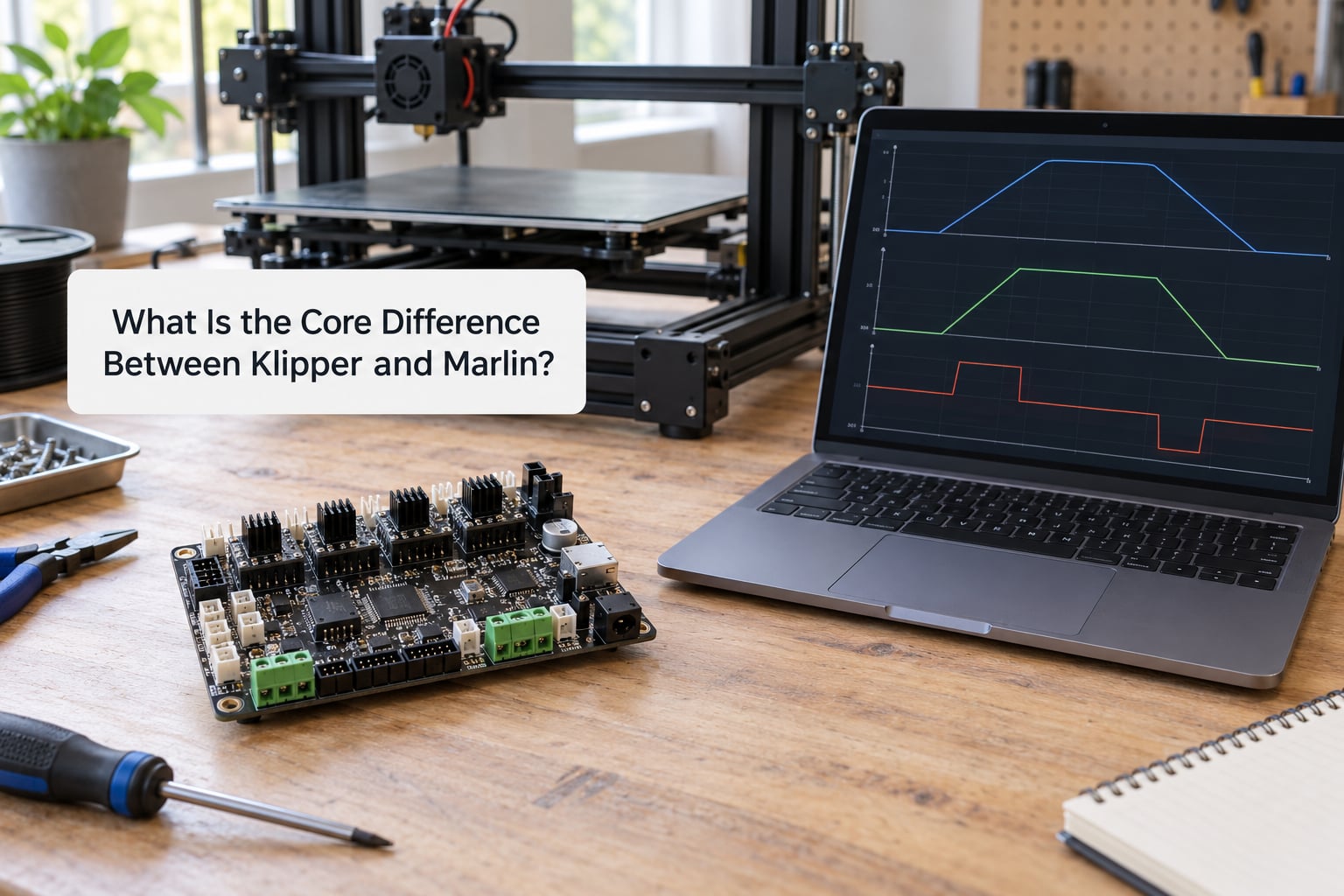
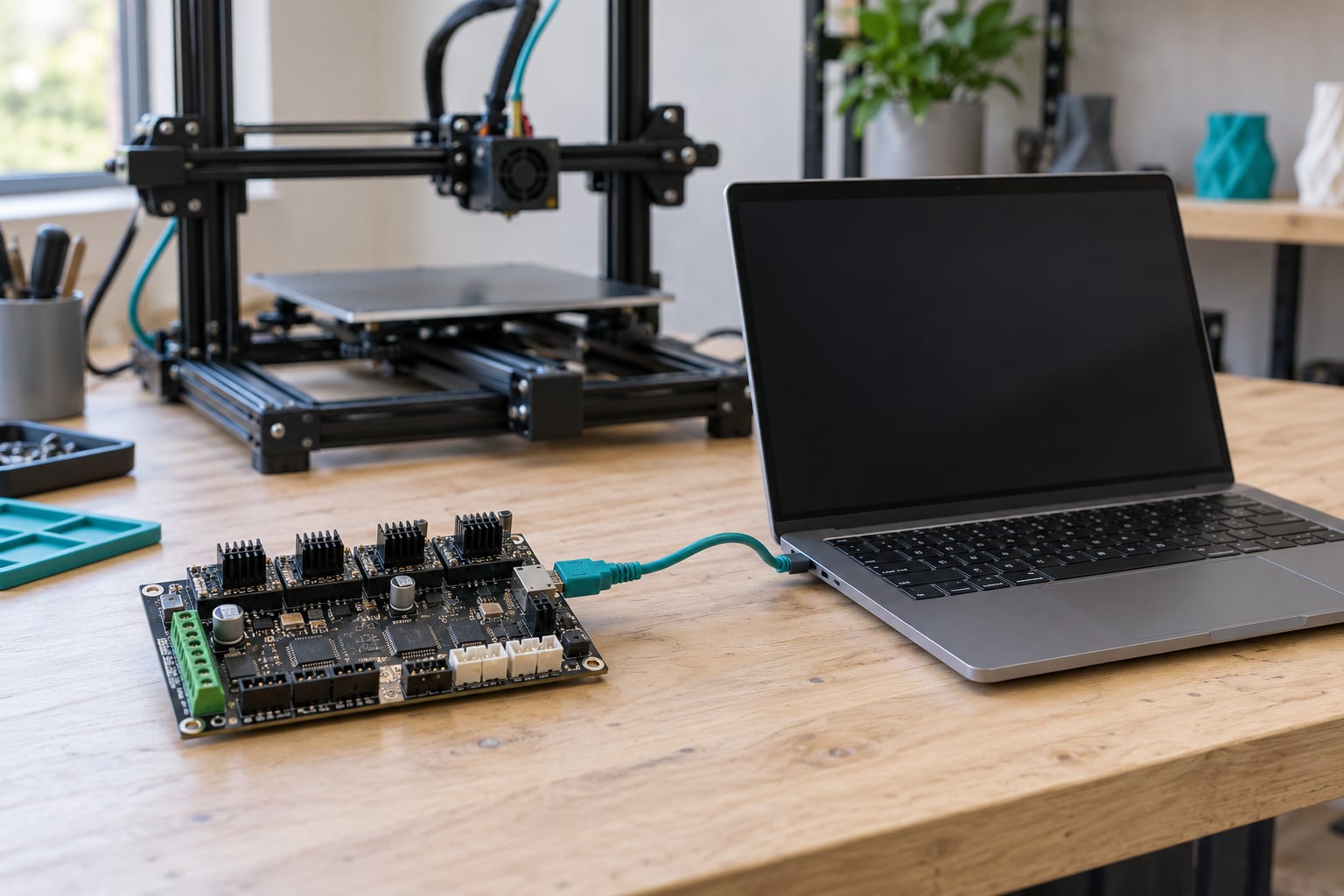
Klipper is host-based firmware. The Raspberry Pi or other single-board computer you add to the printer runs the motion planner, the kinematics and every macro, then streams small position commands to the printer board over serial at high rate. The microcontroller on the board barely thinks. It turns those commands into step pulses.
Marlin is microcontroller-resident firmware. The planner, the kinematics, the heaters, the probes and the LCD all share cycles on the same chip that is generating step pulses. On an older 8-bit ATmega2560 that budget is genuinely tight, which is why Marlin users on old boards hit a wall at higher accelerations.
The reason this matters is step timing. Steps have to be delivered with microsecond accuracy, and any interrupt, serial read or screen redraw that steals cycles shows up as a stalled axis, ringing or a layer shift. Moving planning off the board means the chip doing the stepping has almost nothing to get interrupted by.
Is Klipper or Marlin more demanding on hardware?
Marlin asks less of the printer board. Klipper asks almost nothing of it, which is why Klipper runs comfortably on modest 32-bit boards and on plenty of old 8-bit ones, while demanding far more of the host. A Pi Zero 2-class board is enough for normal printing; a faster host helps with heavy multi-MCU builds and aggressive speed.
Neither firmware is tied to a specific processor family in a way that matters day to day. The real constraint is flash layout: bootloader offset, firmware size and the pin map of your exact board revision.
Performance and Print Quality
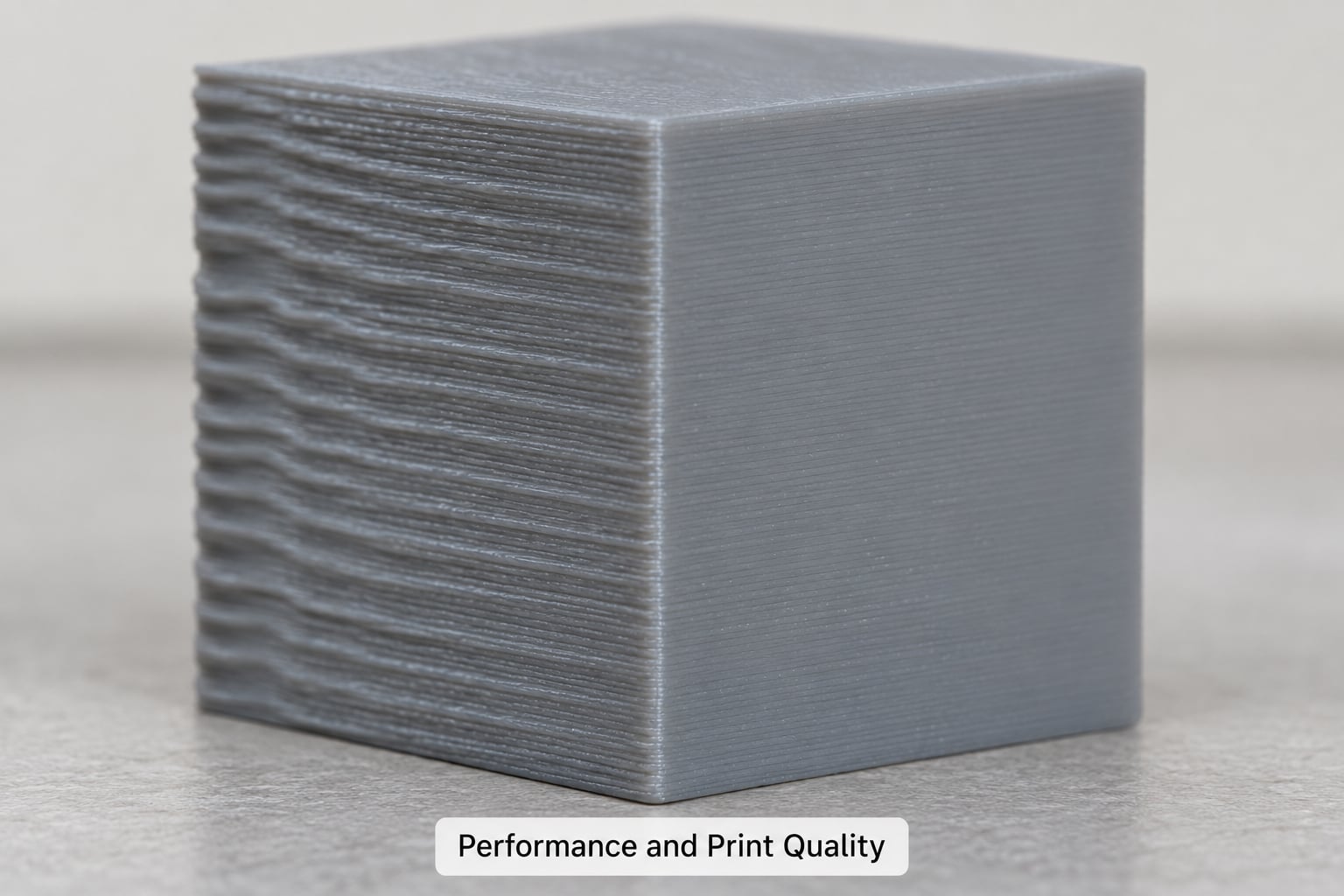
Here is where most online comparisons go wrong, because they bundle three separate things into one speed claim: motion planning compute, input shaping, and pressure advance. Pull them apart and the picture is much fairer.
Motion planning compute
This is Klipper’s real structural advantage. Trapezoidal velocity profiles and deep lookahead are cheap on an 800 MHz-plus single-board computer and expensive on a microcontroller shared with everything else. Klipper therefore sustains high speeds and accelerations through tight curves that make Marlin stutter on the same mechanics.
Input shaping
Input shaping cancels the frame resonance that shows up as ringing or ghosting on vertical walls and sharp corners. Klipper can measure that resonance itself with an accelerometer and recommend a shaper. Marlin 2.1.x has shipped a form of shaping for a while now, so the quality gap on a well-tuned Marlin machine is smaller than forum posts suggest. On a shaky bed frame, though, Klipper’s auto-measurement and shaper selection usually win.
Pressure advance
Both firmwares compensate for the delay between extruder motion and melt arrival, which is what causes bulging corners and gaps on seams. Marlin calls it Linear Advance, Klipper calls it pressure advance, and they do the same job. Slice for Klipper and add the Klipper pressure advance value to your profile; slice for Marlin and use the Linear Advance value instead. Mixing them is a common cause of bad corners.
How much faster is Klipper than Marlin?
On the same hardware, same slicer profile and same filament, the honest answer is that Klipper lets you print faster at quality, not that it makes every print a fixed percentage shorter. The popular “40% faster” figure repeated in short videos is not something you can rely on. Speed also depends on your extruder, hotend cooling, bed adhesion, frame rigidity and the acceleration limits in your slicer profile.
If your printer cannot physically extrude fast enough, better firmware will not change that. What better firmware reliably delivers is the ability to use the speed your hardware allows, without stalling or ringing on the way there.
Hardware Support and Printer Compatibility
Marlin still ships support for a very wide range of boards, including many 8-bit designs that predate modern firmware. If a vendor sells a printer with Marlin on it, that combination is tested and known to work. That is a real advantage for anyone who wants their printer to just print.
Klipper supports most common boards through its board configuration process, and adds things Marlin cannot easily do, such as multi-MCU setups with CAN bus toolboards for out-of-driver heaters, fans and sensors.
The board revision trap
The most common migration failure is not software, it is buying the wrong config. Creality alone shipped at least four mainboard revisions for the Ender 3 V2 family, and the pin assignments are not identical between them. A printer.cfg copied from a different revision can point a heater output at a 5V pin or a fan header, which is how people end up with dead boards.
Read the board revision from the printer itself before you download anything. Then confirm the pin names in your config against the board’s own silkscreen.
Probes and sensors
BLTouch and CR Touch work on both firmwares. Klipper generally makes eddy current probe setup shorter because probe configuration is a few readable lines instead of a compile cycle. If your probe already works under Marlin, that is not a reason to migrate on its own.
What about the screen?
This is the objection raised most often in forums, and it deserves a straight answer. After a Klipper migration your physical LCD usually stops showing anything useful, because the host computer owns the interface. You control the printer from a phone or laptop browser over the network instead.
If that trade is unacceptable, some people run the display through Klipper’s screen support or wire the printer to a host that mirrors state, but this is extra work and not as good as native screen control. For a lot of people it is the deciding factor, and staying on Marlin is a perfectly rational choice.
Configuration and Customization
This is where Klipper wins so decisively that it is rarely a close call. Marlin’s configuration lives in a C header file that has to be compiled and flashed to change anything. Editing the acceleration limit in Marlin means a build toolchain, a compiler run and a flash, which takes minutes and needs a working editor setup.
Klipper reads a plain-text file called printer.cfg. Change a value, restart the firmware, keep printing. The same text format also means you can copy a known-good config from someone running an identical machine instead of rebuilding it from source.
Macros
Marlin’s G-code macros are a sequence of commands you can call from a slicer or a host. Klipper’s macro system is built on Jinja2 templates, which means variables, conditionals and loops. Writing an adaptive purge, a first-layer helper or a filament-change routine that behaves differently by material is far less painful in Jinja2 than in raw G-code.
Templates and installers
Klipper has a growing library of community templates and an installer that can fetch them for you, which removes most of the risk from starting a new configuration. Marlin has board definitions in the same spirit, but they ship inside the source tree rather than as a browsable template library.
Installation, Updates, and Troubleshooting
A Marlin to Klipper migration runs in five stages: pick a host, install Klipper on it, build the printer firmware for your board, write printer.cfg, then calibrate. Calibration is not optional, and skipping it is the second common failure after the pin map.
- Prepare the host. Install Klipper on your chosen single-board computer or thin client and connect it to the printer board over USB.
- Build the printer firmware. Compile a firmware binary for your exact board and flash it through the appropriate bootloader offset.
- Write printer.cfg. Map stepper pins, endstops, heaters and the probe. Read each value off your own board.
- Calibrate. Run the rotation distance and e-step routines, then set a pressure advance value from a tuning tower.
- Add interface software. Install Mainsail or Fluidd for the browser interface, then connect from your phone.
Real failure signatures
- Black screen, nothing enumerates over USB. Almost always a wrong bootloader offset for the board, or flashing the wrong binary type. Check the board documentation for the offset and flash method before trying again.
- Thermistor reading around 520C. In almost every case this is a wrong sensor pin in printer.cfg, not a failed thermistor. An unconnected or misconfigured input floats and reads high.
- “Stepper driver not found” or motors never move. Your driver model and UART line settings do not match the hardware, or the board section in the config is for a different revision.
- The probe deploys and then errors. The probe offset sign is wrong, or the endstop position for the probe is missing.
Updates
Updating Klipper is usually a git pull on the host and a restart. Updating Marlin means a fresh compile and flash, or waiting for the vendor to ship a new build on the printer’s own update mechanism. Klipper is easier to keep current; Marlin is easier to leave alone for years.
Rolling back to Marlin
The fear of bricking is the biggest reason people hesitate, and it is mostly unfounded. Before you flash anything, use the printer’s bootloader to read the existing Marlin firmware out to a file and save it. If Klipper does not work out, flash that saved binary back and you are exactly where you started.
Also photograph or note your existing Marlin settings before you start. Board pin maps for Marlin are usually printed on the board itself or in the printer’s own documentation.
One safety rule matters more than all of the above: when you first power up a new configuration, disable heaters and run a dry test of the motion only. Confirm axis direction, travel limits and probe behaviour before you connect a hotend or heat the bed, and keep thermal runaway protection active on whichever firmware you settle on.
Features and Advanced Capabilities
Features both firmwares do well
Auto bed levelling, PID tuning, filament runout detection, retract control and multi-material via an MFS-style unit are available on both. These are hardware-first features: the software support matters, but you still need the sensor or the changer.
Features Klipper does better
Input shaping with automatic resonance measurement, a deeper macro system, multi-MCU arrangements and object exclusion, where the slicer tags a region so the firmware skips it and the print moves faster. Pressure advance is also easier to tune under Klipper because the tuning tower output is clearer.
Features that depend on your hardware, not the firmware
High print speed depends on your extruder and hotend cooling. Repeatability across a tall part depends on frame rigidity. Multi-material depends on the changer you bought. No firmware switch substitutes for those, and sellers who imply otherwise are selling something.
Community, Documentation, and Long-Term Maintenance
Both projects are open source with active maintainers and busy forums. Marlin’s community skews towards long-running DIY builds and printers on older boards, and it is the safer bet if your machine shipped with Marlin and works. Klipper’s community is large, fast-moving and very good at answering configuration questions, sometimes within minutes.
Documentation tells a similar story. Klipper’s reference is well organised around a single config file, so you can search a setting name and land on the right page. Marlin’s documentation is more scattered across the wiki, example configs and the source itself, which is realistic but slower to search.
For a beginner, Marlin is easier to maintain day to day, because the maintenance is often none. For someone who enjoys tuning and modifying, Klipper is more rewarding, because changing things is cheap. That is the honest trade, and neither side wins it for everybody.
Which Should You Choose?
Choose Klipper if you print at high speed, change slicer profiles often, run more than one machine remotely, or like pulling a printer apart and making it behave differently. Choose Marlin if your printer works, you use the screen, your probe is reliable under it, and you would rather not add a computer to the setup.
A quick decision checklist
- Do you already print at speeds above 150 mm/s or push high acceleration? Klipper is worth the effort.
- Do you change settings more than once a month? Klipper saves you the recompile cycle.
- Is your printer currently on Marlin and printing well? There is no pressing reason to move.
- Do you rely on the physical LCD for bed levelling or pausing? Stay on Marlin.
- Do you run a print farm or need remote access to several machines? Klipper.
- Do you have a spare single-board computer or thin client and a few free evenings? Klipper is realistic.
If you do switch, treat it as a small project rather than a weekend accident. Confirm your board revision, back up the existing Marlin firmware, calibrate from scratch, and test motion dry before anything gets hot. And keep the backup file, because it is the difference between a reversible experiment and a costly mistake.
Frequently Asked Questions
Is Klipper better than Marlin for print quality?
Klipper usually gives cleaner corners and walls at higher speeds because input shaping and pressure advance work together and can be auto-measured. Marlin 2.1.x now includes Linear Advance and a form of input shaping, so a well-tuned Marlin machine is closer than most old comparisons suggest. The bigger quality win comes from tuning the machine, whichever firmware you run.
Does Klipper print faster than Marlin firmware?
On identical hardware Klipper sustains higher speeds and accelerations because motion planning runs on a separate host instead of the printer microcontroller. That means you can use the speed your extruder and frame physically allow. It does not mean every print finishes a fixed percentage sooner, and hardware limits such as hotend cooling still apply.
Which firmware is easier for a beginner to install?
Marlin is easier if your printer already has it installed, since there is nothing to do. A first Klipper install takes longer because you add a host computer, flash the board, write printer.cfg and calibrate from scratch. After setup, Klipper is easier to live with because changing any setting is a text edit rather than a recompile and flash.
Can Klipper run on any 3D printer board?
Klipper supports most common 8-bit and 32-bit printer boards, but not every board and board revision is supported well. The most common problem is not the firmware, it is copying a configuration written for a different hardware revision where the pin assignments differ. Confirm your exact board revision and bootloader offset before you build anything.
Does changing from Marlin to Klipper improve acceleration?
Yes, usually on the same machine. Klipper’s planner has more compute available, so it holds high acceleration through corners without stalling, and a TUNING_TOWER gives a clearer pressure advance value to feed back into your slicer profile. The improvement is limited by your extruder, frame rigidity and cooling, which firmware cannot change.
Is it safe to switch firmware on a 3D printer?
It is safe if you back up the existing Marlin firmware from the printer’s bootloader first. That backup can be flashed back at any time, so the change is reversible. Test motion with heaters disabled before connecting a hotend or heating the bed, verify axis directions and endstops, and keep thermal runaway protection active on whichever firmware you choose.
Conclusion
Start by asking one question: does your printer already print well on Marlin? If the answer is yes, the klipper vs marlin firmware differences matter far less than the forum threads imply, and switching is optional. If the answer is no, the reasons are usually mechanical, and a firmware change will only help with the parts that are about motion and quality.
When you do decide, do it deliberately. Identify your board revision, back up the Marlin firmware, install Klipper on a host computer, and calibrate properly. Test with the heaters off first, and you will have a faster, more flexible printer with a way back if you want it.